For streamers and professionals, having top-notch video quality is essential for making a strong impression during broadcasts, meetings, or online presentations. In a competitive digital landscape, an AI-powered virtual camera tool like FineCam promises to enhance your video setup, providing smart features that can elevate the overall quality and experience. But is FineCam the best AI virtual camera software for streamers and professionals?
In this review, we'll dive into FineCam’s features, benefits, and performance to help you decide if it’s the right choice for your streaming or professional needs.
What is FineCam?
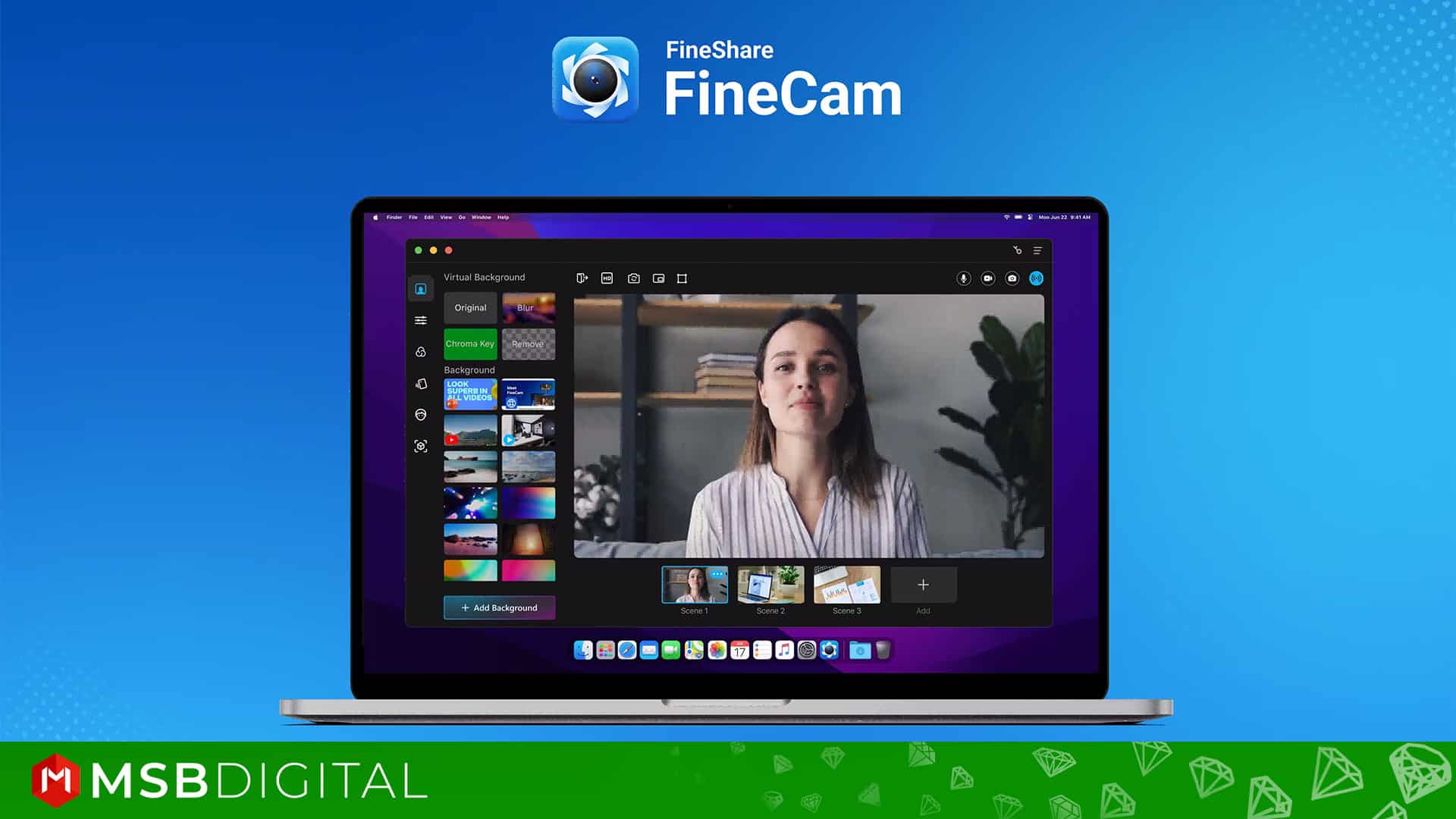
FineCam is a virtual camera software that leverages artificial intelligence (AI) to enhance video quality, improve lighting, and offer a range of video effects. Whether you’re a streamer looking to engage with your audience or a professional presenting in virtual meetings, FineCam offers features designed to make your video content more polished and visually appealing. Compatible with both Windows and Mac, FineCam integrates seamlessly with popular video conferencing platforms and streaming software such as OBS Studio, Zoom, and Microsoft Teams.
Who Created FineCam?
FineCam was created by FineShare, a technology company focused on developing AI-driven tools for video communication and content creation. FineCam is one of their key products, offering a virtual camera solution that enhances video streaming, conferencing, and professional recording with features like background removal, multi-cam setup, and AI-powered image adjustments. FineShare aims to improve the quality and flexibility of video production for streamers, content creators, and professionals.
Top Benefits of FineCam:
- Virtual Camera Effects: Add creative elements to your video, such as filters, stickers, and animations, to make your presentations more engaging.
- AI Background Removal: Seamlessly replace your background with a variety of virtual scenes, ensuring privacy and professionalism.
- Audio Enhancement: Improve sound quality with features like noise reduction, echo cancellation, and automatic gain control.
- Screen Recording: Capture your screen along with audio for tutorials, presentations, or gaming sessions.
- Compatibility: Works with popular video conferencing platforms like Zoom, Teams, and Skype.
Key Features of FineCam
1) AI-Powered Video Enhancements
FineCam uses AI to automatically adjust lighting, sharpness, and overall video quality. For streamers who often deal with varying lighting conditions, this feature can help ensure that you always look your best on camera. The software's real-time adjustments save you the hassle of manually tweaking settings, letting you focus on delivering content to your audience.

2) Multiple Camera Support
FineCam allows you to switch between different camera sources seamlessly. Streamers and professionals can connect their smartphone cameras, webcams, or DSLR cameras and switch between them during a live session or video recording. This feature is ideal for multi-angle setups, adding a dynamic touch to your streams or presentations.
3) Green Screen & Background Customization
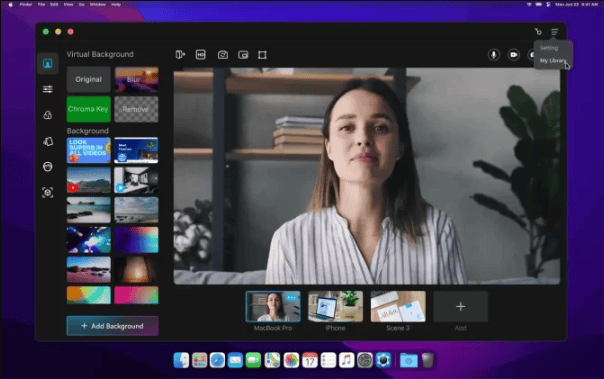
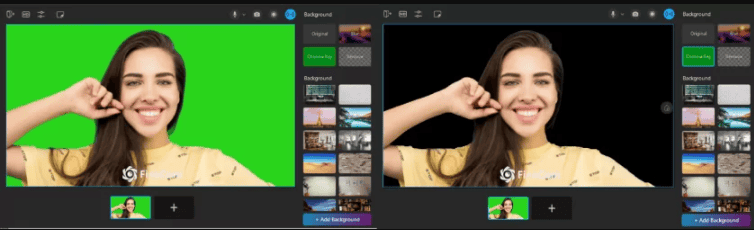
Background customization is one of FineCam’s standout features. Using AI, FineCam allows for background removal without the need for a green screen. Whether you want to blur your background, replace it with an image, or overlay a video, FineCam provides easy and effective solutions. This is particularly useful for streamers who want to create immersive backgrounds or professionals aiming for a clean, distraction-free environment.
4) HD Streaming & Recording
FineCam supports high-definition (HD) streaming and recording, delivering crystal-clear video quality for both live and recorded content. Whether you’re live-streaming on platforms like Twitch or YouTube or presenting during virtual meetings, FineCam ensures that your video feed remains sharp and professional.
5) Presentation and Screen Sharing Mode
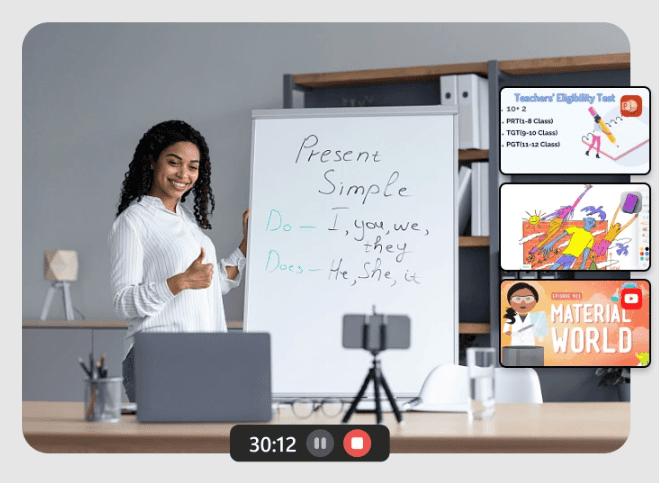
For professionals, FineCam’s Presentation Mode is a game-changer. It allows you to present slides or share your screen while keeping your video feed overlaid on the presentation. This feature enables more engaging presentations, making it easier to connect with your audience while sharing information.
6) Smartphone as a Webcam
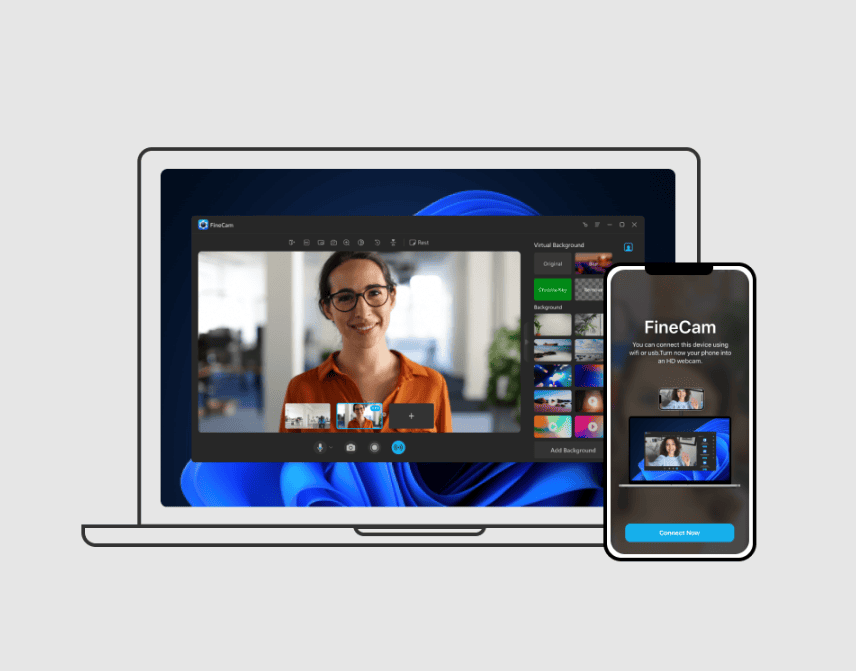
One of FineCam's most practical features is its ability to turn your smartphone into a high-quality webcam. For streamers and professionals who may not have access to high-end webcams or cameras, this feature provides a significant upgrade over most built-in laptop webcams. The smartphone connection can be made via Wi-Fi or USB, ensuring flexibility and mobility during streams or meetings.

Performance and User Experience
1) Easy Setup & User-Friendly Interface
FineCam’s installation process is straightforward, and its interface is designed with ease of use in mind. Whether you're a first-time user or an experienced professional, setting up your virtual camera and adjusting video settings is hassle-free. The controls are intuitive, allowing streamers and professionals to quickly switch between features such as background removal, camera switching, and AI adjustments.
2) Real-Time AI Adjustments
For streamers, the ability to make real-time adjustments without interrupting your broadcast is crucial. FineCam delivers on this front by providing smooth transitions between cameras, applying background effects, and enhancing video quality without lag. The AI-driven features ensure that your stream maintains a polished appearance, even in less-than-ideal lighting conditions.
3) Cross-Platform Integration
FineCam works seamlessly with major streaming and communication platforms like OBS Studio, Zoom, Microsoft Teams, and Google Meet. This cross-platform compatibility is particularly useful for streamers who use OBS for live streaming or professionals who need to switch between different video conferencing tools. FineCam can be easily selected as your virtual camera across these platforms, enhancing video quality regardless of the software you’re using.
Pricing, Lifetime Deal, and Promo Code
FineCam offers several pricing plans to cater to different needs:
- Free Plan: This plan includes basic features with limited access.
- Monthly Plan: Priced at $9.95/month, this plan offers access to more advanced features.
- Annual Plan: Priced at $29.99/year (or about $2.5/month), this plan provides additional features and support.
- Lifetime Plan: For a one-time fee of $59.99, you get unlimited access to all features and priority support.
Promo code:
FineCam promotional codes or discounts are available periodically, especially during Black Friday, Cyber Monday, or special events. Users can find these coupon codes on their website, newsletters, or social media. Visit FineCam's website from here to receive a special 42% discount.
Even they grant a free trial to allow you to experience the full benefits of their offerings before committing. So why are you waiting for?
FineCam’s Advantages for Streamers
Streamers will find several key advantages in using FineCam, including its multi-camera support, green screen alternatives, and HD streaming. FineCam allows streamers to switch between different camera angles during their broadcasts, making streams more dynamic and engaging. The AI background removal feature eliminates the need for physical green screens, saving space while maintaining professional-quality video effects.
Additionally, FineCam’s smartphone-as-a-webcam feature provides flexibility, allowing streamers to connect their phone for higher-quality streams or multiple angles.
FineCam’s Advantages for Professionals
For professionals, FineCam’s ability to enhance video quality during virtual meetings or presentations is invaluable. The Presentation Mode allows you to overlay your video feed onto slides or screen shares, making online meetings more interactive. FineCam also helps maintain a professional appearance with its automatic lighting adjustments and background customization options, ensuring you look polished even in less-than-ideal environments.
The software’s compatibility with both Windows and Mac, combined with its easy integration into platforms like Zoom and Microsoft Teams, makes FineCam a versatile tool for professionals across industries.
FineCam: The Good and The Bad
Pros
- AI-powered video quality enhancements for live streams and meetings
- Supports multiple cameras, including smartphone webcam use
- Smooth and effective background removal without a green screen
- Cross-platform compatibility with OBS, Zoom, Microsoft Teams, etc.
- Easy-to-use interface, ideal for both beginners and professionals
- Lifetime deal available for long-term affordability
Cons
- Free version has limited features
- Advanced features may demand more system resources
- Lacks 4K streaming support in the current version
Who is this FineCam tool for?
FineCam is designed for a wide range of users, including:
- Content Creators: Filmmakers, YouTubers, and streamers who need high-quality video recording and editing.
- Remote Workers: Professionals who rely on video conferencing for meetings and presentations.
- Educators: Teachers and trainers who conduct online classes and webinars.
- Marketers: Individuals and businesses looking to create engaging promotional videos.
- General Users: Anyone who wants to enhance their video calls and recordings with AI-powered features.
It's a versatile tool that caters to both personal and professional needs.
FineCam Alternatives
Here are some popular FineCam alternatives for virtual camera and video enhancement:
- ManyCam – Offers live streaming, video switching, and virtual backgrounds, with tools for both professionals and educators.
- OBS Studio – A free, open-source tool for video recording and live streaming with robust customization options.
- XSplit VCam – Known for its powerful background removal and blur effects without a green screen, perfect for streamers and professionals.
- Snap Camera – Provides fun filters and lenses, adding a playful touch to video calls and streams.
- Camo by Reincubate – Allows you to use your smartphone as a high-quality webcam with advanced controls.
Is FineCam the Best AI Virtual Camera Software?
FineCam certainly ranks among the top AI virtual camera software solutions for both streamers and professionals. With its AI-enhanced video quality, dynamic camera switching, and versatile background effects, FineCam brings a high level of polish and professionalism to any live stream or virtual meeting. Streamers will appreciate the multi-camera support and smartphone integration, while professionals will benefit from the intuitive interface, presentation features, and enhanced video quality during meetings.
Overall, FineCam offers excellent value, especially with its lifetime deal option, making it a solid investment for anyone looking to upgrade their video communication tools. Whether you’re a content creator, live streamer, or professional presenter, FineCam is a powerful and easy-to-use solution that can significantly enhance your video presence.
What Are People Saying About FineCam?
Testimonial #1
Rating: ⭐⭐⭐⭐⭐
“Fantastic video quality!” – Jessica W.: “FineCam has drastically improved the quality of my video calls. The AI enhancements make everything look professional, even in low light. Highly recommended for anyone serious about their video presence.”
Testimonial #2
Rating: ⭐⭐⭐⭐⭐
“Great for remote work.” – David L.: “I've been using FineCam for all my virtual meetings, and the difference is night and day. The background removal and light adjustment features are top-notch. It's a must-have for remote workers.”
Testimonial #3
Rating: ⭐⭐⭐⭐⭐
“Perfect for streamers!” – Emma R.: “FineCam is a game-changer for my streaming setup. The customizable overlays and effects add a professional touch to my streams. It's user-friendly and worth every penny.”
My Suggestions: Is FineCam Worth It?
With its AI-driven video enhancements, multi-camera support, and seamless cross-platform compatibility, FineCam stands out as a leading virtual camera software for streamers and professionals alike. It delivers on its promises of improved video quality and convenience, making it a top choice for anyone looking to elevate their video content or virtual presentations.
If you're committed to achieving the best in video quality, FineCam is undoubtedly worth your consideration.