

Video editing software can be overwhelming, especially for beginners. With countless features, tools, and settings, it’s often hard to know where to start. That’s where HitPaw Edimakor aims to step in as a beginner-friendly video editor that promises a simple interface, powerful tools, and easy navigation.
In this review, we’ll dive into HitPaw Edimakor's features, ease of use, pricing, pros and cons, and more to determine if it really is the best video editor for beginners.
Overview of HitPaw Edimakor
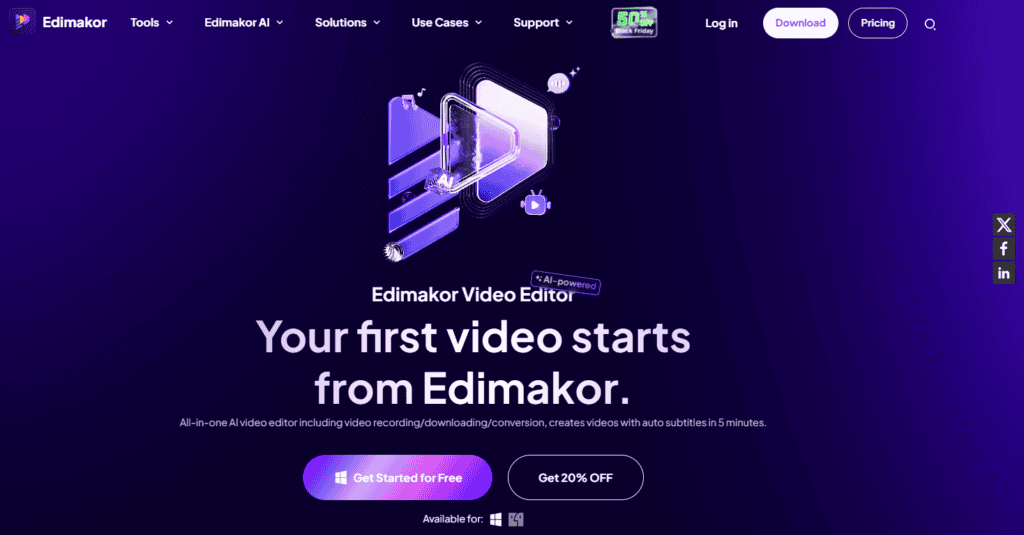
HitPaw Edimakor is a video editing software designed to be intuitive yet packed with features to help users create polished videos without the technical hurdles common with more advanced programs. This software is suitable for creators looking to make engaging content for social media, presentations, or personal use, especially if they're just starting out in video editing.
Who Created HitPaw Edimakor?
HitPaw, a Chinese technology company, is the creator of HitPaw Edimakor. They are known for developing various multimedia software tools, including video editors, photo editors, and AI-powered tools.
Top Benefits of HitPaw Edimakor:
- AI-Powered Editing: Leverages AI to automate tasks like background removal, object removal, and video enhancement.
- User-Friendly Interface: Easy to learn and use, even for beginners.
- Powerful Features: Offers a wide range of features including video editing, audio editing, effects, transitions, and more.
- Fast Processing: Efficiently handles large video files and renders quickly.
- Regular Updates: Ensures the software stays up-to-date with the latest features and improvements.
Key Features of HitPaw Edimakor
1) User-Friendly Interface
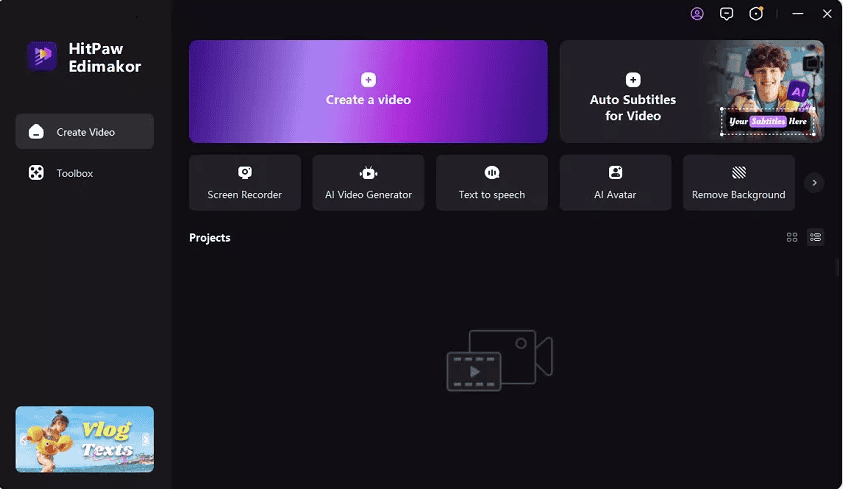
The interface is designed to be clean and accessible, minimizing clutter. All primary tools are easy to find, and there are plenty of tooltips and tutorials to guide users through each feature.
2) Basic Editing Tools
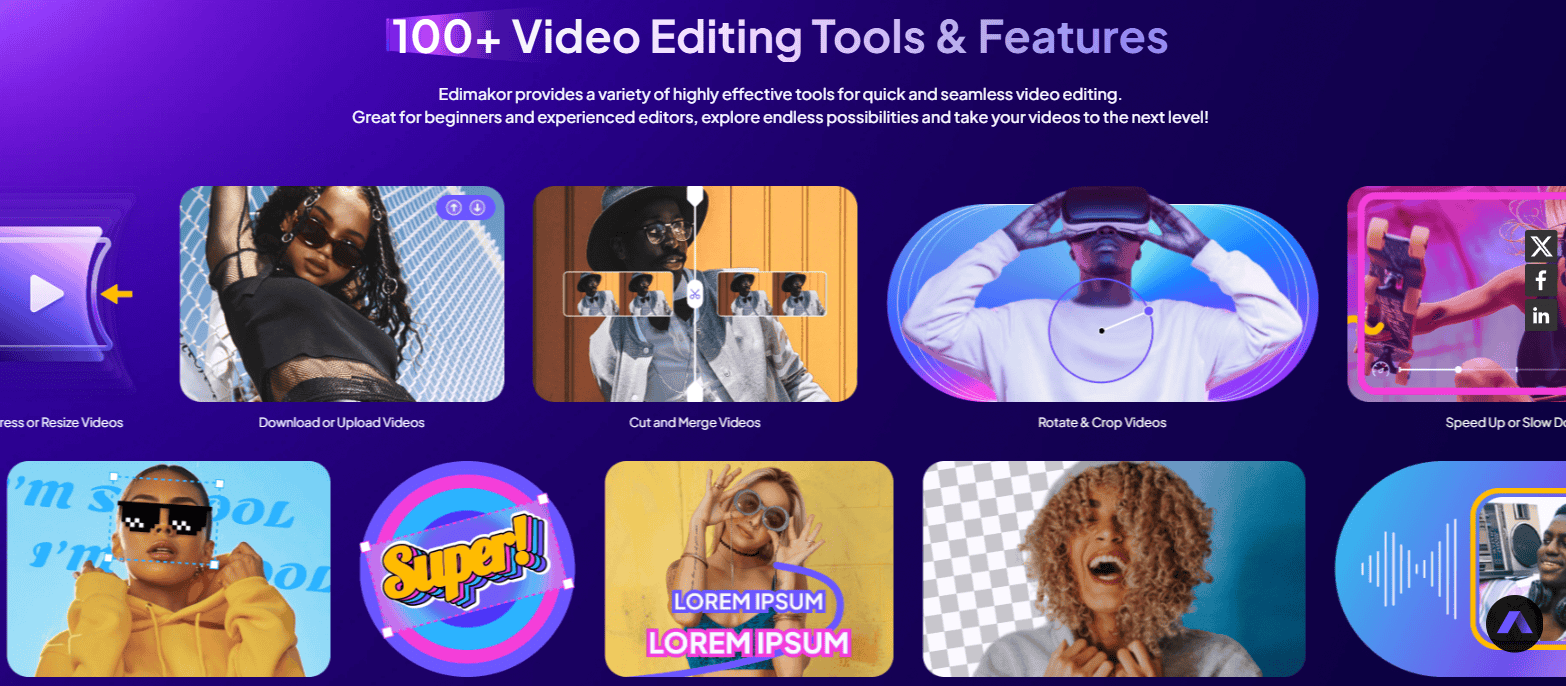
The software includes fundamental editing features such as trimming, cutting, and cropping. These basic tools are clearly laid out, allowing new users to jump in quickly without confusion.
3) Text and Subtitle Editor
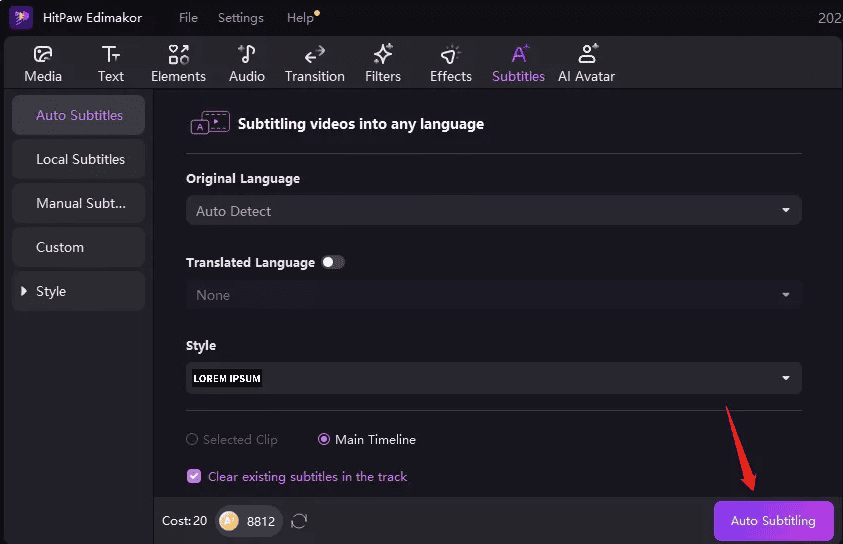
With a range of fonts, styles, and effects, beginners can add titles and captions to their videos. This is particularly useful for social media creators who want to add informative text overlays.
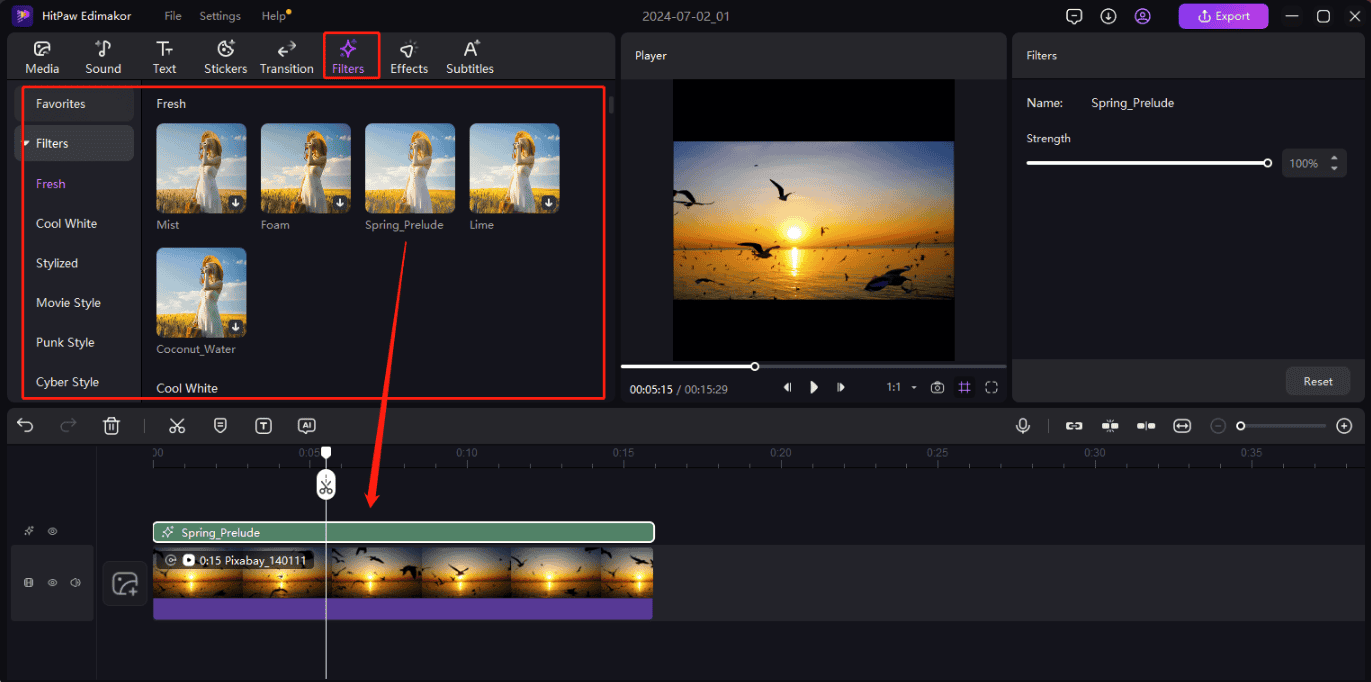
4) Effects and Filters
HitPaw Edimakor includes a library of filters and effects that can add a professional touch to videos. There are color adjustments, visual effects, and transitions to give videos a unique look without requiring a steep learning curve.
5) Audio Editing Tools
The audio editor allows users to add music, adjust volume, and reduce background noise. This is essential for beginners who want to make videos with clear, polished sound.

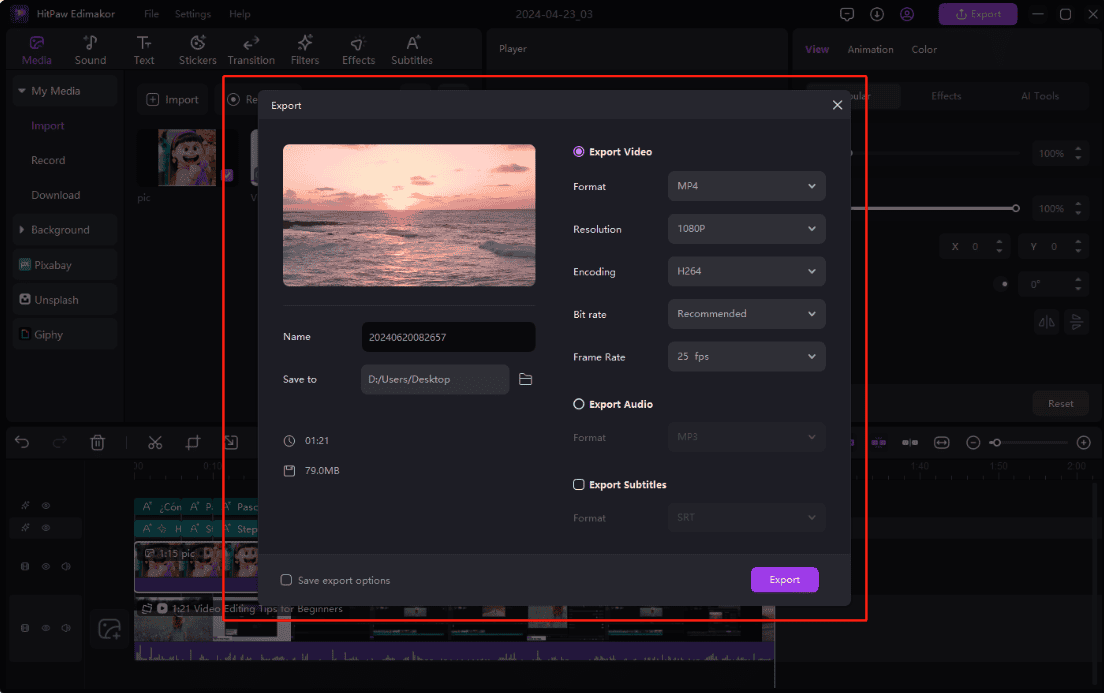
6) Export Options for Social Media
The export feature is designed with social media in mind, making it easy to share videos in popular formats for platforms like YouTube, Instagram, and TikTok.
7) Built-In Stock Library
HitPaw Edimakor offers a built-in library of royalty-free stock footage, music, and images. This makes it easy to add variety to projects without having to search for external media.
8) Performance and Stability
A common concern for beginner video editors is the performance and stability of the software, as some tools can be resource-intensive and prone to crashes. HitPaw Edimakor, however, has proven to be a reliable and responsive platform, able to handle a variety of video formats and project sizes without any significant hiccups. The software has been stable in my testing, allowing me to work on my projects without fear of unexpected shutdowns or glitches.
9) Accessibility and Engagement
The auto-subtitle feature is a game-changer for increasing accessibility and engagement. By providing accurate subtitles, HitPaw Edimakor ensures that your content is accessible to a broader audience, including those who are hearing impaired. This feature also enhances viewer engagement by making your videos more interactive and informative.
10) Powerful AI Features
HitPaw Edimakor leverages AI technology to enhance the editing process. The AI-powered speech-to-text feature automatically generates subtitles from video dialogue, saving time and effort. Additionally, the software includes tools for video trimming, audio editing, color correction, transitions, effects, and text animation. These features provide beginners with powerful editing capabilities without the steep learning curve.
Pricing, Lifetime Deal, and Promo Code
Here are the pricing options for HitPaw Edimakor:
- 1-Month Plan: $19.95 per month. This plan includes full functionality with no watermark on exported videos.
- 1-Year Plan: $49.95 per year. This plan also offers full functionality with no watermark.
- Lifetime Plan: $69.95 (one-time payment). This plan provides lifetime access to all features with no watermark on exported videos.
Additionally, HitPaw Edimakor offers a free trial with limited features, allowing users to test the tool before committing to a purchase.
Promo code:
HitPaw Edimakor promotional codes or discounts are available periodically, especially during Black Friday, Cyber Monday, or special events. Users can find these coupon codes on their website, newsletters, or social media. Visit HitPaw Edimakor‘s website from here to possibly receive a special discount.
Even they grant a free trial to allow you to experience the full benefits of their offerings before committing. So why are you waiting for?
HitPaw Edimakor: The Good and The Bad
Pros
- Intuitive Interface: Easy to navigate, especially for beginners.
- Affordable Pricing: Reasonable rates with flexible payment options.
- Feature-Rich: Includes essential editing tools without overwhelming beginners.
- Stock Library Access: Built-in access to royalty-free assets.
- Social Media Export Options: Simplifies sharing across platforms.
Cons
- Limited Advanced Features: Lacks more advanced editing options for professionals.
- No Mobile Version: Currently, HitPaw Edimakor is only available on desktop, which might be a drawback for creators who prefer to edit on the go.
Who is this HitPaw Edimakor tool for?
HitPaw Edimakor is designed for a wide range of users, especially:
- Beginners: Its user-friendly interface makes it easy for those new to video editing to get started.
- Content Creators: Ideal for YouTubers, vloggers, and social media influencers looking to create engaging videos.
- Small Business Owners: Perfect for creating promotional videos, tutorials, and marketing content.
- Educators: Useful for creating educational videos and online course materials.
- Hobbyists: Great for anyone interested in video editing as a hobby, offering powerful tools without the complexity.
HitPaw Edimakor Alternatives
Here are some popular Hitpaw Edimakor alternatives that you can check if you want:
- Screen Studio: A powerful screen recording and video editing tool that offers a wide range of features, including AI-powered editing capabilities. If you want to explore our in-depth Screen Studio review, feel free to check this blog.
- InVideo: A cloud-based video editor that makes it easy to create professional-looking videos without any technical skills. If you want to explore our in-depth InVideo review, feel free to check this blog.
- Descript: A versatile video and audio editing tool that allows you to edit videos by editing the transcript.
- Rizzle AI: An AI-powered video editing tool that can automate many tasks, such as adding music, text, and effects.
- FocuSee: A video editing tool that specializes in creating focus videos, which are short videos that highlight a specific topic or idea.
What Are People Saying About HitPaw Edimakor?
Testimonial #1
Rating: ⭐⭐⭐⭐⭐
Mike R. | YouTube Content Creator
HitPaw Edimakor has been a complete game-changer for my channel! As someone who used to struggle with complex editing software, I was amazed by how quickly I could pick this up. The speed adjustment feature is fantastic for my gaming montages, and the stabilization tool saved countless shaky footage clips. What really impressed me was how fast it processes 4K videos – no more waiting hours for exports. After three months of daily use, I can say it's the best investment I've made for my content creation.
Testimonial #2
Rating: ⭐⭐⭐⭐⭐
Lisa Tina | Family Vlog Editor
I can't say enough good things about HitPaw Edimakor! I needed something simple yet powerful to edit our family vacation videos, and this exceeded all expectations. The color enhancement tools make our memories look vibrant and professional, and the audio cleanup features are perfect for fixing those windy beach videos. My favorite feature is the one-click video enhancement – it makes every clip look like it was shot by a pro. The auto-save feature has saved my work multiple times!
Testimonial #3
Rating: ⭐⭐⭐⭐⭐
James Karma | Social Media Manager
Finally found my go-to video editor! HitPaw Edimakor makes creating social media content a breeze. The aspect ratio presets for different platforms save me tons of time, and the export settings are perfectly optimized for each social network. The text animation tools are fantastic for adding engaging captions, and the speed ramping feature lets me create those trendy dynamic transitions everyone loves. Best part? I can batch process multiple videos at once, which is perfect for my busy workflow.
My Final Thoughts
After extensively testing HitPaw Edimakor, I can confidently say that it is an excellent choice for beginner video editors. Its user-friendly interface, decent feature set, and stable performance, coupled with its affordable pricing, make it a compelling option for anyone looking to dive into the world of video creation. In a word, this video editing software strikes a balance between simplicity and functionality.
If your focus is on creating social media content, personal projects, or simply learning the basics of video editing, HitPaw Edimakor is definitely worth considering.

Hitpaw needs better instructions for going to the previous original page. Very confusing.
Hitpaw is very confusing and the instructions are minimal. I am a total beginner and never have I used a video editing/making tool. Even youtube instructional videos are lacking.