When it comes to screen recording, having the right tool can make all the difference in delivering high-quality results, whether you're creating tutorials, recording gameplay, or sharing professional presentations. Two popular contenders in the screen recording space are Screen Studio and FocuSee. Both offer powerful features, but they cater to different needs.
In this article, we’ll compare Screen Studio and FocuSee to help you choose the right screen recorder app for your needs.
Overview of Screen Studio
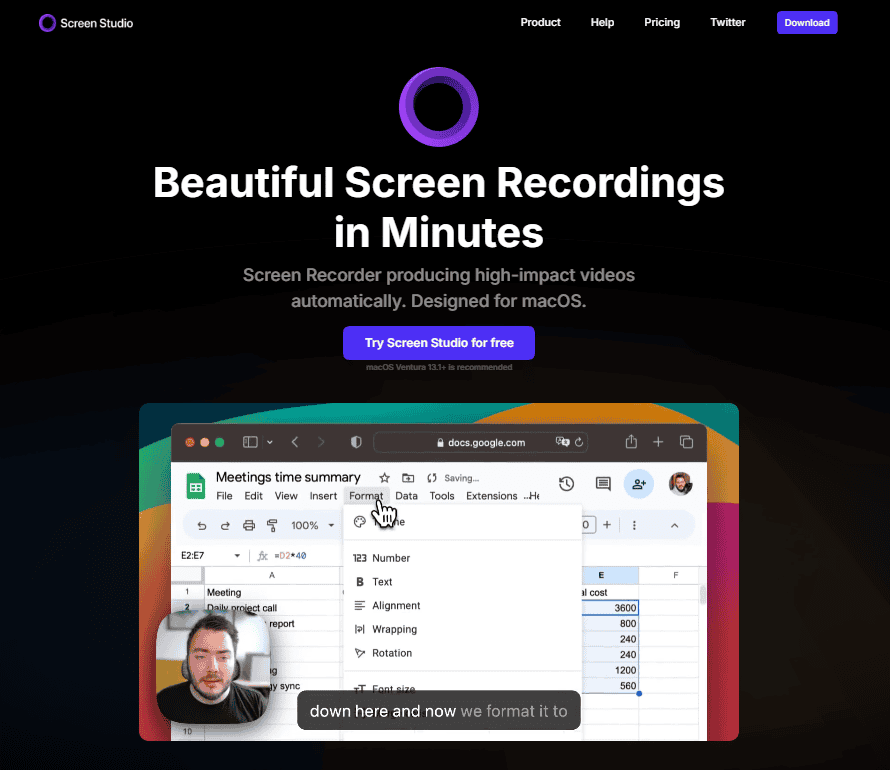
Screen Studio is known for its ease of use and extensive editing features, making it a go-to choice for professionals and content creators. With a focus on delivering high-quality recordings and post-production capabilities, Screen Studio excels at creating polished videos.
Overview of FocuSee
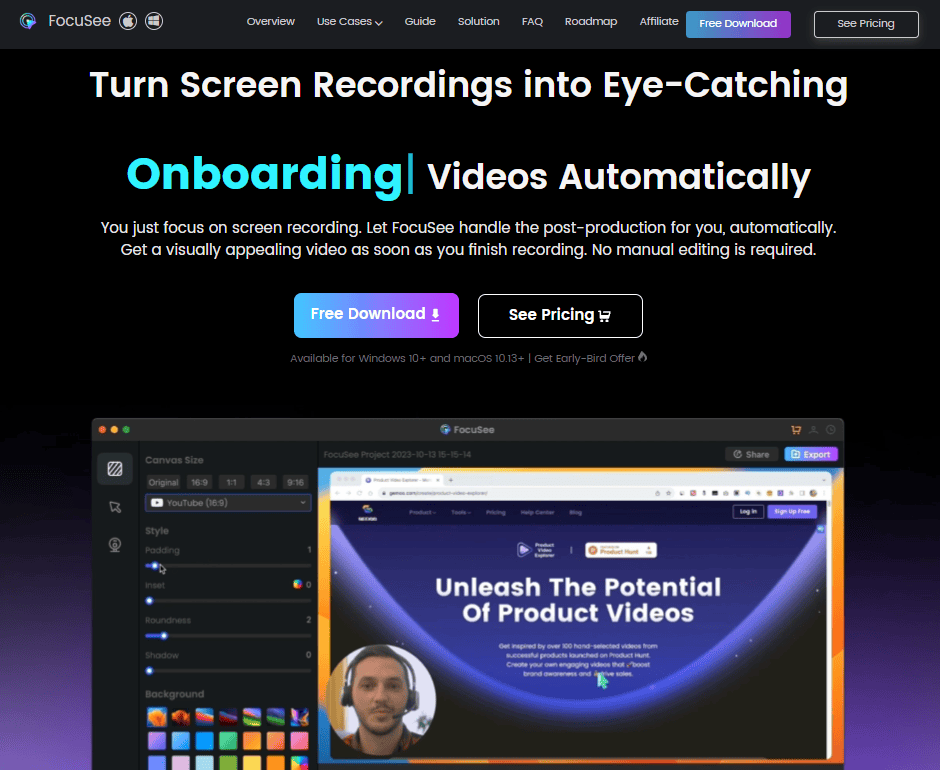
FocuSee takes a more streamlined approach, emphasizing simplicity and speed for users who need basic recording features without the complexity. It’s designed for individuals who want to quickly capture screen content without getting bogged down in advanced settings or post-production editing.
Key Features of Screen Studio:
- High-Resolution Recording: Supports up to 4K screen recording, which is perfect for capturing detailed content.
- Powerful Editing Tools: After recording, you can edit your videos directly within the app, adding transitions, text, effects, and more.
- Multi-Track Editing: Screen Studio allows users to record multiple video and audio tracks, making it ideal for complex projects where syncing different media types is necessary.
- Customizable Settings: Users can adjust the frame rate, resolution, and audio input settings to tailor recordings to their specific needs.
- Annotations and Callouts: The ability to add annotations, arrows, and text to highlight important sections of the screen is a standout feature for those creating tutorials or instructional videos.
- Live Streaming Support: Screen Studio includes live streaming capabilities, making it a versatile tool for live presentations and webinars.
Key Features of FocuSee:
- Quick Capture: With a minimalistic interface, FocuSee allows users to start recording with just a few clicks. It’s ideal for fast recordings like demonstrations, customer support, or capturing quick clips.
- Webcam Integration: FocuSee includes webcam recording, making it a great option for users who need to include a face cam alongside their screen content.
- Cloud Sharing: After recording, users can instantly upload their videos to the cloud and generate a shareable link, simplifying the process of distributing content.
- Basic Editing Features: While not as advanced as Screen Studio, FocuSee offers basic editing options like trimming and cutting to refine your clips.
- Lightweight and Fast: FocuSee is designed to use minimal system resources, ensuring smooth performance even on lower-end machines.
- Annotations: Basic annotations can be added during the recording process, such as highlighting areas or drawing arrows for emphasis.
Feature Comparison: Screen Studio vs FocuSee
| Feature | Screen Studio | FocuSee |
|---|---|---|
| Recording Quality | Up to 4K, professional-grade | Standard HD (1080p) |
| Editing Tools | Advanced editing suite | Basic trimming and annotations |
| User Interface | More complex, feature-rich | Simple, easy to navigate |
| Performance | High-performance, resource-intensive | Lightweight, low system impact |
| Customizability | Highly customizable | Limited customization options |
| Cloud Integration | No direct cloud support | Built-in cloud storage options |
| Target Audience | Professionals, content creators | Beginners, casual users |
| Best for | Professionals, content creators | Casual users, quick recordings |
Value & Price: Locating the Sweet Spot
Screen Studio Pricing Plans:
Screen Studio offers both subscription-based and one-time payment options. Depending on your usage and preference, you can opt for a monthly subscription or pay once for lifetime access.
- Lifetime Plan:
- Price: $89
- Features:
- Use on 1 macOS device.
- Pay once and use it forever (Lifetime access).
- Access to all Screen Studio features.
- 1 year of updates.
- Subscription Plan:
- Price: $189
- Features:
- All Screen Studio features
- Lifetime updates
- 3 personal macOS devices
FocuSee Pricing Plans:
FocuSee offers several pricing plans to cater to different needs:
- One-Time Purchase Plan: $19.99 for a single license, with lifetime usage and free updates.
- 2-Computer Plan: $95.99 (regular price $159.98) for up to 2 devices (Windows/Mac), including lifetime usage and free updates.
- 1-Computer Plan: $69.99 (regular price $79.99) for a single device (Windows/Mac), with lifetime usage and free updates.
- 30-Day Plan: $19.99 for access to 1 device for 30 days, with interactive video elements.
Screen Studio: The Good and The Bad
Pros
- Exceptional Quality: 4K resolution support guarantees high-quality recordings.
- Comprehensive Audio Options: Record multiple audio sources without hassle.
- Easy Navigation: Intuitive interface ensures a smooth user experience.
Cons
- Limited Advanced Editing: For more complex editing tasks, you might need additional software.
- Cost: The higher-end features come at a premium price.
FocuSee: The Good and The Bad
Pros
- Ease of Use: Simple and intuitive design makes it accessible for all users.
- Automatic Features: Saves time with automatic zoom-in effects.
- Compatibility: Works well on both major operating systems.
Cons
- Limited Editing Features: Focuses more on recording than on post-production editing.
- Subscription Model: Some features require a subscription, which can add to the cost.
Performance and Usability
When it comes to performance, Screen Studio takes the lead in terms of recording quality and customization. It’s built for professionals who need precise control over their screen recordings, such as YouTubers, educators, or software demonstrators. However, this power comes at the cost of system resources. Users with older or low-performance machines may notice a lag during recording or exporting.
FocuSee, on the other hand, is much lighter on system resources, making it an excellent choice for those on less powerful devices. Its interface is straightforward, and it lacks the steep learning curve that often comes with more advanced software. While it doesn’t offer the same level of detailed control or editing as Screen Studio, FocuSee is ideal for users who need quick, uncomplicated screen recordings.
Editing Capabilities
Screen Studio provides an all-in-one platform for recording and editing. Its editing tools allow users to cut and splice video, add effects, transitions, and annotations, and export to multiple formats. This makes it a great choice for creators who want to produce polished, professional-quality videos.
FocuSee offers more basic editing tools. Users can trim the beginning and end of clips, add simple annotations, and make minor adjustments. While this might be limiting for more advanced users, it's perfectly suited for anyone looking to perform quick edits without requiring in-depth knowledge of video editing.
Which Screen Recorder Should You Choose?
Choose Screen Studio if:
- You are a professional content creator, educator, or marketer who needs advanced recording features.
- You plan to edit your videos extensively and want built-in editing tools.
- High-resolution recording and multi-track editing are crucial for your projects.
- You want live streaming capabilities in addition to screen recording.
- You are looking for a tool that can handle complex projects with detailed customization.
Choose FocuSee if:
- You need a lightweight, straightforward screen recording tool for quick captures.
- You prefer minimal setup and a user-friendly interface.
- Your primary goal is to record and share videos quickly, without extensive editing.
- You often need to capture webcam footage alongside your screen recording.
- You want a budget-friendly option for basic recording tasks.
Let's Know User Experience
Screen Studio:
Emma J. (Content Creator)
- Rating: ⭐⭐⭐⭐⭐
- Review: “Screen Studio has been a game-changer for my online tutorials. The 4K resolution support ensures that my videos are clear and professional-looking. The interface is super user-friendly, making it easy to start recording quickly. The audio recording capabilities are also top-notch, allowing me to capture both system and microphone audio seamlessly. Highly recommend for anyone needing high-quality screen recording!”
FocuSee:
Artyom S. (Small Business Owner)
- Rating: ⭐⭐⭐⭐⭐
- Review: “FocuSee has simplified my screen recording tasks tremendously. The automatic zoom-in effects are a standout feature, saving me time during editing. It's incredibly easy to use, and the quality of the recordings is fantastic. Highly recommend it for anyone looking for a straightforward yet powerful tool!”
My Final Words: Screen Studio or FocuSee?
Both Screen Studio and FocuSee excel in their respective areas, and the right choice depends on your needs. If you prioritize advanced editing, high-quality recordings, and live streaming, Screen Studio is the better option. However, if you’re looking for a quick and simple screen recorder with essential features, FocuSee offers an efficient and lightweight solution.
Ultimately, your decision should be based on the complexity of your projects and how much control you need over the final product. Both tools are reliable, but each serves different types of users.
Finally, I would like to give you thanks for staying with us. If you want to get more content from us, I’d recommend checking out our website MSB Digital.